
Hybrid events, on location in Singapore
We connect the people in the room with those joining online — overseas speakers on the venue screens, clear audio both ways, and a livestream for remote viewers — so everyone can take part in the same programme.
What it is, and who it is for
A hybrid event has an audience in the room and people joining from elsewhere — as speakers, as viewers, or both. Remote speakers appear on the venue screens. The room can hear them clearly, and they can hear the room without echo. At the same time, we can livestream the programme to those watching online.
That is different from a livestream on its own, which sends the event out so people can watch, and from a live feed, which is the live picture on screens in the room. A hybrid setup does both of those jobs, and also brings remote speakers into the programme.
We work with schools, companies and community organisations across Singapore. Typical uses include conferences, AGMs, talks and meetings where some speakers or guests join online.
All of this work is on location at your venue. We no longer operate a studio, and we no longer rent equipment.
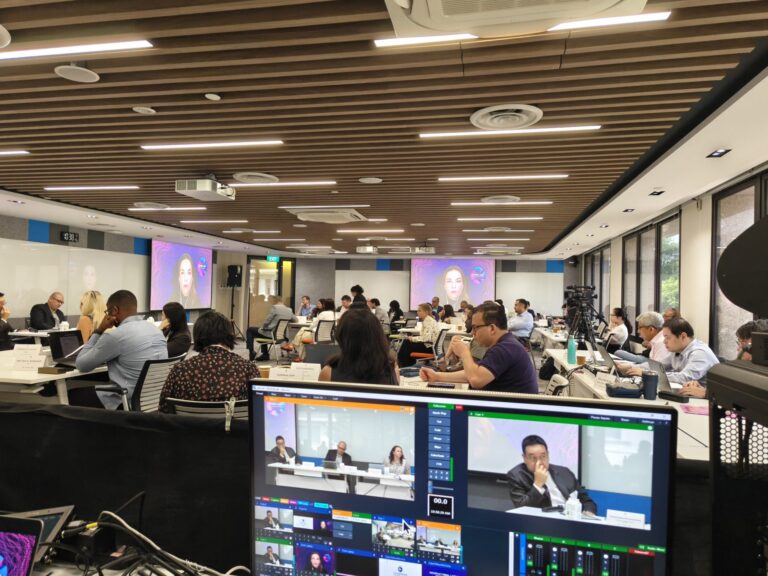
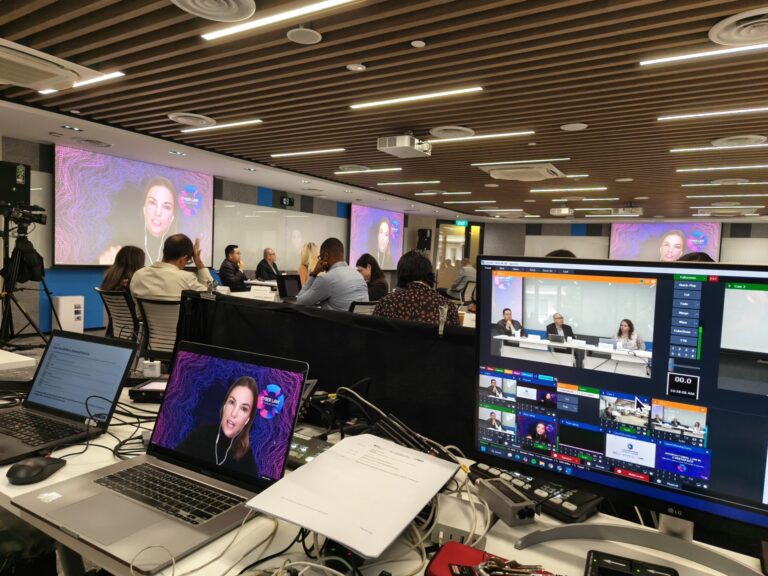
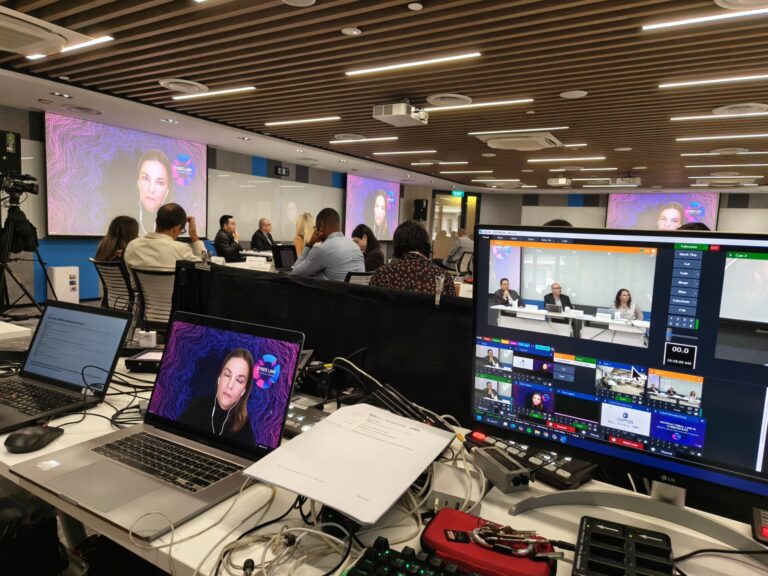
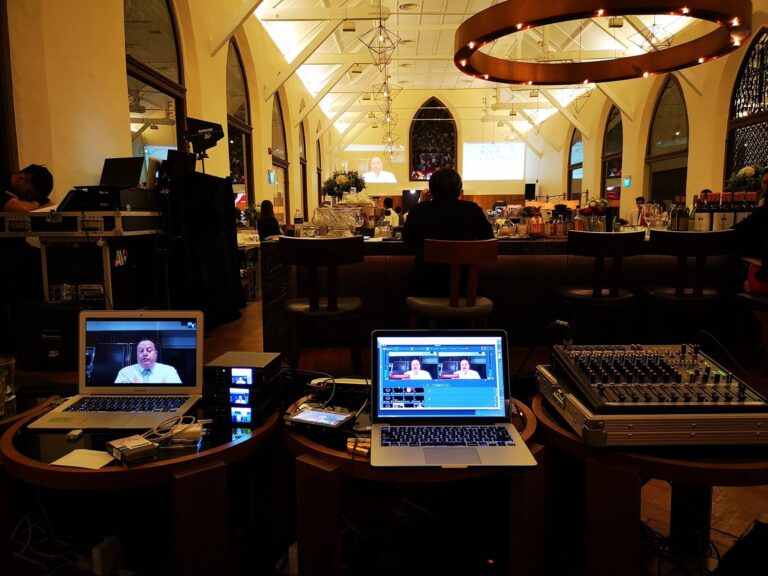
A hybrid conference we covered: an overseas speaker on the venue screens, with a multi-camera vMix setup in the room.
What’s included
Remote speakers on the venue screens
Speakers joining on Zoom, Teams or Skype are mixed into the programme and shown on the projectors or displays in the hall, so the people in the room can see and hear them as part of the same event.
Mix-minus audio, as standard
Remote speakers need to hear the room — the host, the other speakers, the questions — without hearing themselves back. A mix-minus is standard for this work, which is why we only use digital desks with plenty of outputs. There is a short explanation of mix-minus, and more on our audio services page.
Multi-camera production with vMix
We film the room with a camera crew and switch the programme in vMix, so remote viewers — and the screens in the hall — see the right shot at the right time. The number of cameras is planned around your event. More on our multi-camera production page.
A livestream for remote viewers
We can send the same programme live to YouTube, Facebook, Zoom or a private link, including to several platforms at once. We check the internet in advance and keep a backup ready. More on our livestreaming services page.
Venue screens and confidence monitors
We connect to the venue’s projectors and displays, and can bring 55-inch confidence-monitor TVs for the people on stage. More on our display services and live feed pages.
Graphics, recording and edits
Names, titles and other on-screen graphics are quoted separately: they take time to build, and they often need a separate machine to run them. After the event you can opt for the raw recording. Edited highlights, and any further editing, are quoted separately and usually take two weeks.
How the setup works
A typical hybrid setup. The number of cameras, screens and remote connections is planned around your event.
How it works
Tell us about the event
Share the date, venue, programme, who will be in the room, and who will join online — as speakers, as viewers, or both. We’ll come back with a proposed setup and a quote.
We recce the venue, if we need to, and plan the connections
For a venue we have not covered before, we do a proper recce. The main reasons are to check that the display connections will work, and to work out the route from the loading bay. If we already know the venue, a full recce may not be needed. A hybrid event is only as good as the internet behind it, so we also check the connection in advance and keep a backup ready. We plan camera positions, the mix-minus, the screens and the cue list with you, and any graphics you have asked us to build.
We set up and test, with time to spare
We give setup the time it needs. Before your guests arrive we test the cameras, the mix-minus with a remote speaker, the venue screens, the livestream and the backup — and the graphics, if they have been booked.
We run the show
On the day we film, switch, bring remote speakers onto the screens, livestream and record the programme. You can focus on the event; we look after the technical work. After the event you can opt for the raw recording. Edited highlights, and any further editing, are quoted separately and usually take two weeks.
Selected work
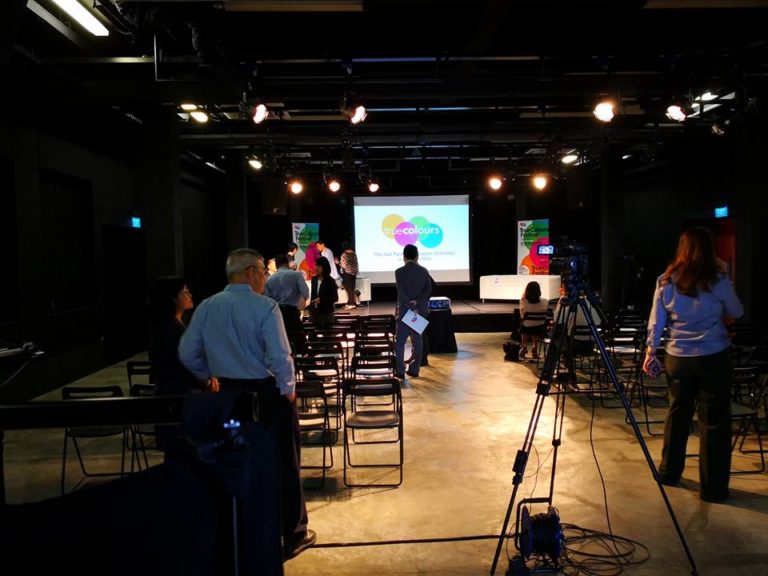
True Colours Festival Media Conference
Two cameras and a switcher for a media conference in 2018, with a live feed to the screen for the press in the room, including Skype calls.
Skype and livestreaming for a medical conference
A Skype feed and a display to the projector at The White Rabbit, so the people in the room could follow a speaker who was not on site.
Frequently asked questions
How is a hybrid event different from a livestream?
A livestream sends the programme out so people who are not at the venue can watch. A hybrid event also does that, but it goes further: remote speakers join the programme, appear on the screens in the hall, and hear the room clearly, so the people on site and the people online can take part in the same event.
How do remote speakers join?
Usually on Zoom, Teams or Skype. We bring their picture and sound into the vMix production and send them to the venue screens. Tell us which platform your speakers will use when you request the quote.
Will remote speakers hear themselves back?
No. A mix-minus — a clean mix of the room, without the remote audio feeding back — is standard for this work. That is why we only use digital desks with plenty of outputs. We test this with a remote speaker before your guests arrive.
Can people in the room see the remote speakers?
Yes. Their picture is sent to the projectors or displays in the hall, as part of the same live programme.
Can we also livestream to a wider audience?
Yes. We can send the programme live to YouTube, Facebook, Zoom or a private link, and to several of these at once, while the people in the room watch on the venue screens.
Do you visit the venue before the event?
For a venue we have not covered before, we do a proper recce. The main reasons are to check that the display connections will work, and to work out the route from the loading bay. If we already know the venue, a full recce may not be needed. We also check the internet in advance and keep a backup ready.
Are graphics and lower thirds included?
No. Graphics and lower thirds are quoted separately. They take time to build to your needs, and they often need a separate machine to run them. Tell us when you request the quote if you would like them.
What do we receive after the event?
You can opt for the raw recording. Edited highlights, and any further editing, are quoted separately and usually take two weeks.
Planning a hybrid event?
Tell us the date, venue and who will join from the room and online. We’ll come back with a quote.
Not sure which service you need? WhatsApp us and we’ll help you work it out.
WhatsApp: 9452 0491
Email: [email protected]
Address: 62 Ubi Road 1 #05-18, Oxley Bizhub 2, Singapore 408734