
Display services, on location in Singapore
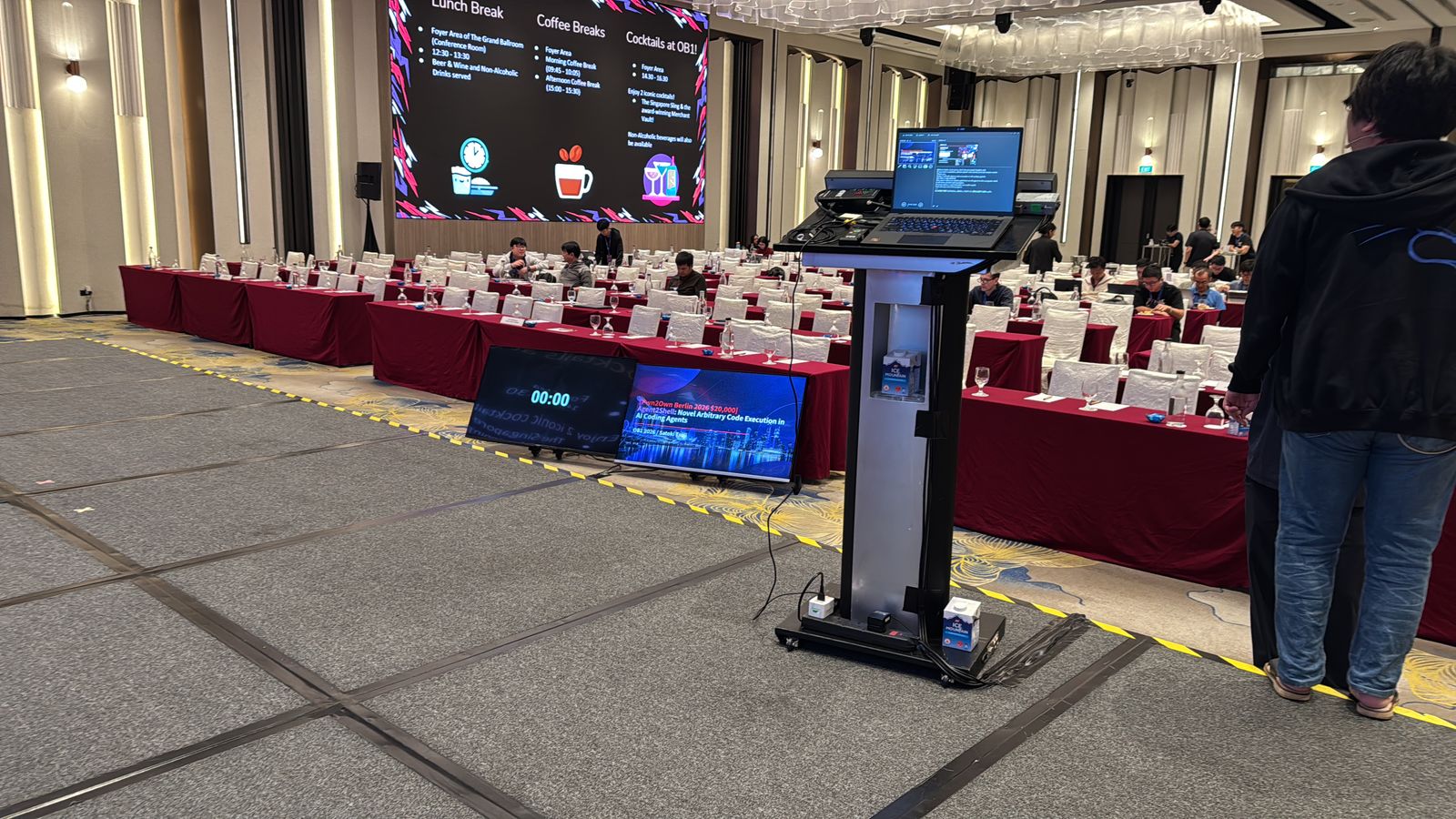
We connect to the venue’s projectors, place floor monitors in front of the lectern, bring 55-inch confidence monitors, and provide a long-range presentation clicker — so presenters and guests can follow the event without guessing.
What it is, and who it is for
Display work is about what people see in the room, and what the person on stage can see without turning away from the audience.
That includes connecting to the venue’s projectors, placing floor monitors in front of the lectern, putting a confidence monitor where the speaker can see it, and running more than one screen when the room needs it.
A confidence monitor is a screen for the speaker or presenter, not for the audience. We transport 55-inch TVs to the venue for this. The monitor can show the current slides, a timer, a script, or the next cue, so the presenter can stay with the audience instead of looking back at the main display.
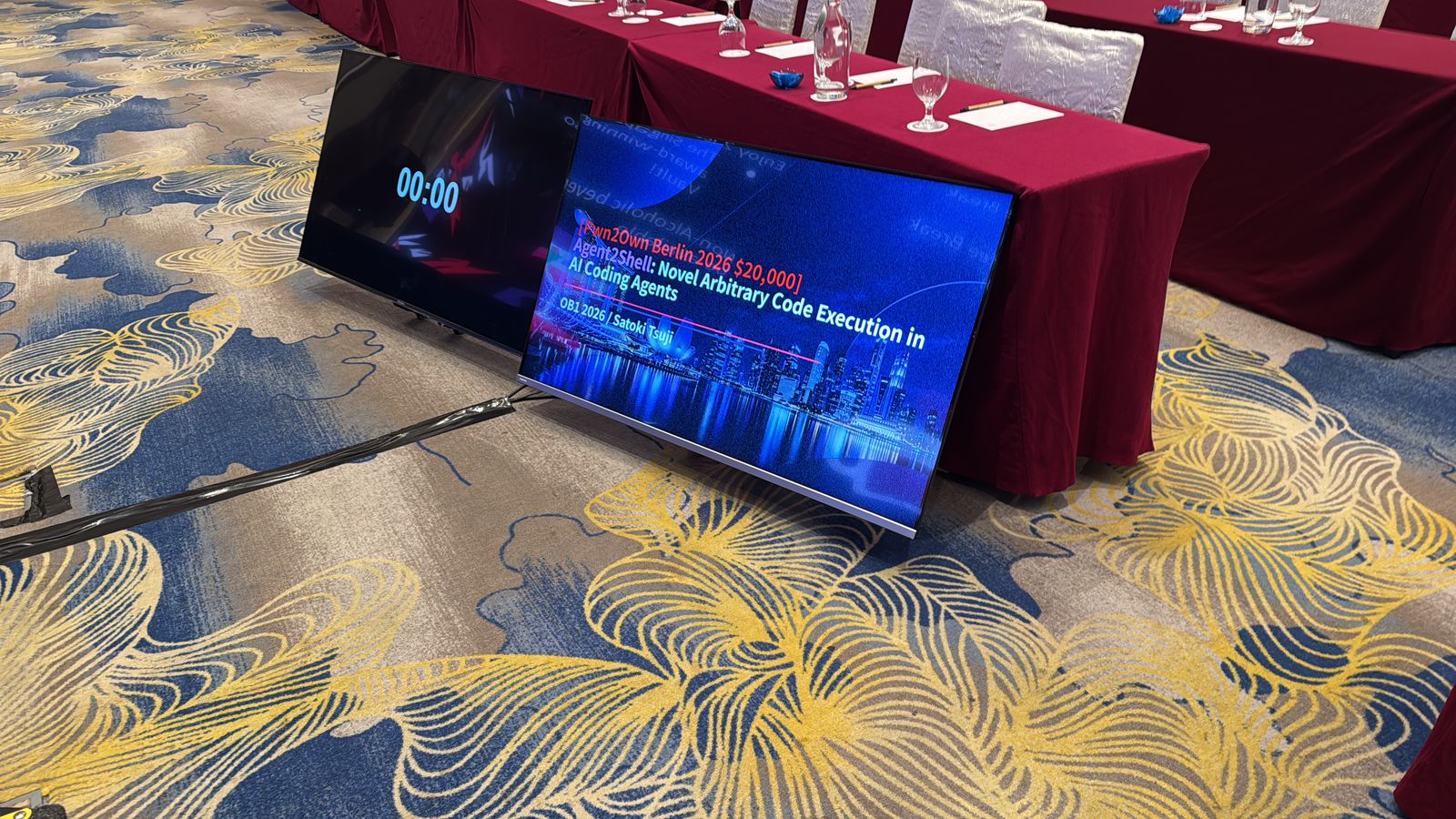
Floor monitors sit on the floor in front of the stage or lectern, facing the speaker. They show slides, notes and a countdown timer, and are usually booked together with the presentation clicker and the confidence monitors.
Multi-display is the rest of the room: the venue’s projectors, LED walls and TVs, each carrying the signal it needs — a presentation, a live feed, a translation, or a combination of these.
We work with schools, companies and community organisations across Singapore, including conferences, ceremonies, small concerts and programmes where more than one screen is in use, or where speakers need a clear view of their material. This work is often booked with a live feed, a livestream, a multi-camera production, or a hybrid event.
All of this work is on location at your venue. We no longer operate a studio, and we no longer rent equipment.
What’s included
Connecting to the venue’s projectors
Most halls already have projectors or a main screen. We connect our programme — slides, a live feed, or both — to those displays, after checking that the connections will work. For a venue we have not covered before, that check is one of the main reasons for a recce.
Floor monitors
TVs placed on the floor in front of the stage or lectern, facing the speaker. They show the presenter’s slides, notes and a countdown timer, so the speaker can look forward rather than back at the main screen. Floor monitors are usually booked together with the presentation clicker and the confidence monitors.
Confidence monitors for speakers and presenters
A 55-inch TV, transported to the venue and placed on or beside the stage, showing the presenter’s slides, a timer, a script or the next cue.
Cable runs to the screens
We routinely run 30 to 50 metre cables from the control desk to floor monitors, confidence monitors and venue screens, so the setup works even when the lectern or the stage is a long way from the desk.
A long-range presentation clicker
A professional presentation clicker, with a range of up to 300 metres, so the speaker can move through the slides without being tied to the lectern.
Multi-display around the room
Different screens can carry different signals at the same time. At the Orchid Country Club Ballroom, the main LED wall showed the English presentation, one projector showed the Chinese translation full screen, another showed the live feed, and ten TVs were split between two further combinations of live picture, slides and translation.
Show control and cues
We can run the displays from a planned cue list, so changing what a screen shows is not a scramble. At Nanyang Primary’s graduation, a custom Event Dashboard ran our vMix production from the show’s cue list, and the operator mostly pressed one button to move to the next cue. That dashboard was built for the production team, not as a speaker-facing confidence monitor, and is described that way on the page.
One-touch control for complex rooms
At Orchid Country Club we used a Stream Deck with Companion software to set up one-touch shortcuts for each output combination, after a full day of setup and testing.
Setup, testing and operation on the day
We give setup the time it needs, and we test every screen before your guests arrive, so the wrong picture is not appearing on the wrong display.
How it works
Tell us about the event
Share the date, venue, what the speakers need to see, and what should appear on the screens around the room. We’ll come back with a proposed setup and a quote.
We recce the venue, if we need to, and plan the screens
For a venue we have not covered before, we do a proper recce. The main reasons are to check that the display connections will work, and to work out the route from the loading bay. If we already know the venue, a full recce may not be needed. We then plan positions for the floor monitors and confidence monitors, what each display will show, and how the cues will run.
We set up and test, with time to spare
We give setup the time it needs. For a room with many different outputs, that may mean a full day of testing, as we did at Orchid Country Club. We bring the floor monitors and the 55-inch confidence monitors to the venue, run the cables to the screens — often 30 to 50 metres from the desk — connect to the projectors, and test the clicker in the room.
We run the displays during the programme
On the day we operate the screens and the cue list. You and your presenters can focus on the programme; we look after what appears on the displays.
Selected work
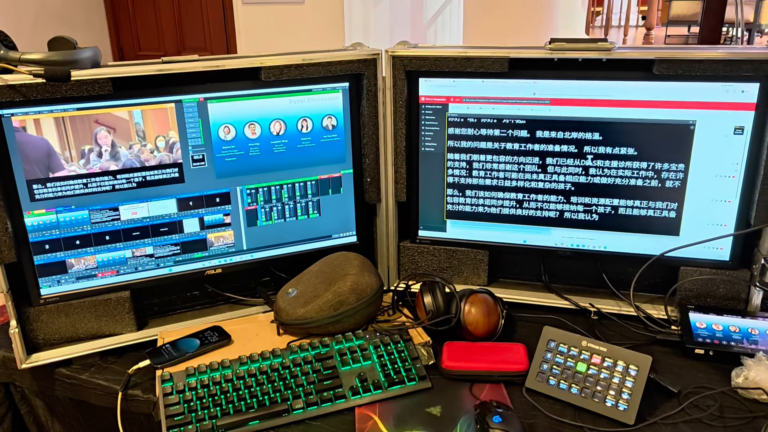
Live English-to-Mandarin translation @ Orchid Country Club Ballroom
Three projectors and ten TVs, plus the main LED wall, each carrying a different mix of presentation, translation and live feed, run with one-touch shortcuts after a full day of setup.
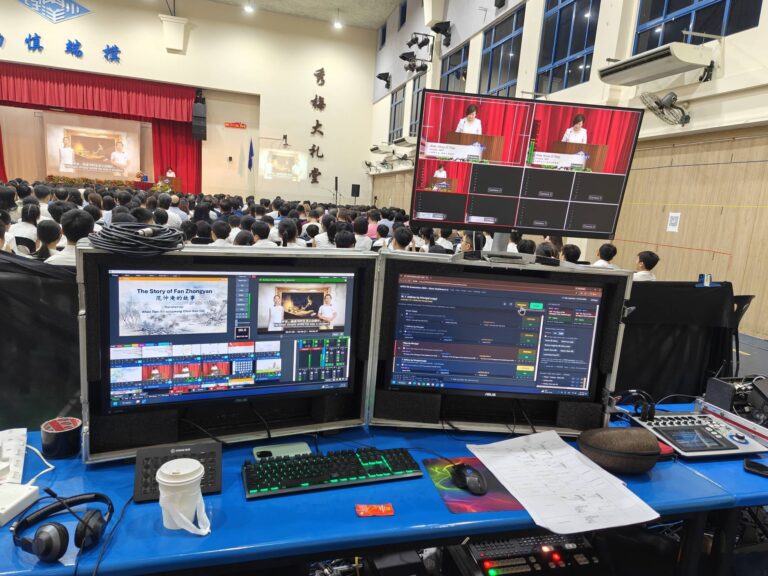
Prize presentation and graduation @ Nanyang Primary School
A custom cue dashboard that ran our vMix production from the show’s cue list, with bilingual video playback for the audience in the hall.
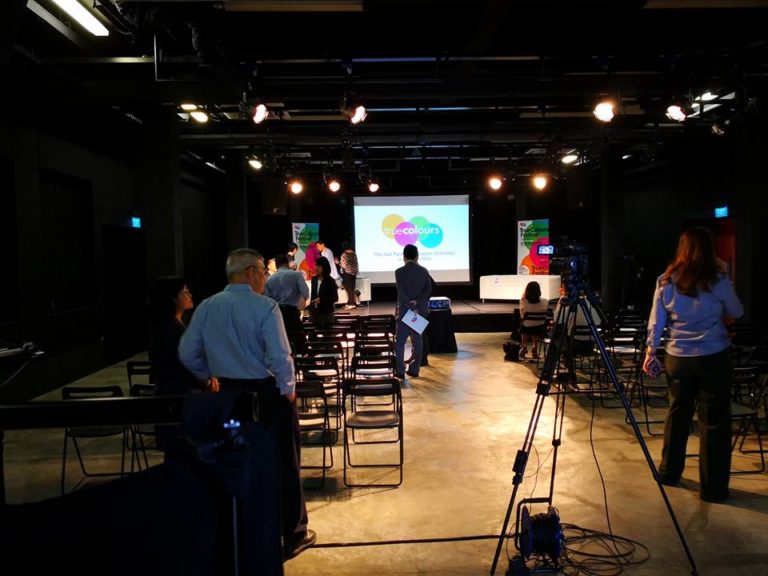
True Colours Festival Media Conference
Live switching of the visuals on the conference screen, including a laptop feed and Skype calls, with two cameras and a switcher recording the event.
Frequently asked questions
What is a confidence monitor?
It is a screen for the person on stage, not for the audience. We bring 55-inch TVs to the venue for this. The monitor can show their slides, a timer, a script or the next cue, so they do not have to look over their shoulder at the main display.
What is a floor monitor?
It is a TV on the floor in front of the stage or lectern, facing the speaker. It can show slides, notes and a countdown timer. Floor monitors are usually set up together with the presentation clicker and the confidence monitors.
Is that the same as the cue dashboard you built for Nanyang Primary?
No. The Nanyang dashboard was for the production operator, so the show could move from cue to cue with one button. A confidence monitor faces the speaker. We can provide either, or both, depending on the event.
Can you get a signal to a screen far from the control desk?
Yes. We routinely run 30 to 50 metre cables from the desk to floor monitors, confidence monitors and venue screens, so the picture still reaches the stage when the desk is at the back of the hall.
Do you use the venue’s own projectors?
Yes. Connecting to the venue’s projectors is a regular part of this work. For a venue we have not covered before, we recce first, mainly to check that the display connections will work, and to work out the route from the loading bay.
Can the speaker control the slides from the stage?
Yes. We provide a professional long-range presentation clicker, with a range of up to 300 metres, so the presenter can advance the slides without being tied to the lectern.
Can different screens show different things?
Yes. That is what we mean by multi-display. The Orchid Country Club ballroom is the clearest published example: the LED wall, projectors and TVs each carried a different signal.
Can this be booked with a live feed or a livestream?
Yes. The picture on a hall screen is often a live feed. Sending the programme to people who are not at the venue is a livestream. Many events book the displays, the feed and the stream together.
Do you also look after the sound?
We can. Hall audio sits under our audio services, and is often planned as part of the same booking.
Planning screens for an event?
Tell us the date, venue and what each audience — including the person on stage — needs to see. We’ll come back with a quote.
Not sure which service you need? WhatsApp us and we’ll help you work it out.
WhatsApp: 9452 0491
Email: [email protected]
Address: 62 Ubi Road 1 #05-18, Oxley Bizhub 2, Singapore 408734