
A live video feed, for the room and for the screens around it
We send a live picture to screens around the venue, or to an overflow room — so people who are at the event, but not in front of the stage, can still see the programme clearly.
What it is, and who it is for
A live feed is the live video from your event, sent as a signal to a screen or a room that needs the picture. It is not the same as a livestream.
- A livestream goes out over the internet, so people who are not at the venue can watch on YouTube, Facebook, Zoom or a private link.
- A live feed stays with the event: on projectors, LED walls and TVs in the hall, and, when the audience needs it, in an overflow room.
You can book a live feed on its own, or together with a livestream and a multi-camera production. We work with schools, companies and community organisations across Singapore, including conferences, ceremonies, small concerts and programmes where the hall is larger than the stage, or where different screens need to show different things.
All of this work is on location at your venue. We no longer operate a studio, and we no longer rent equipment.
What’s included
A programme feed
A live picture of the event — from one camera, or from a switched multi-camera production — ready to send to the screens that need it.
Screens around the venue
Projectors, LED walls and TVs in the hall can carry the live picture, a presentation, or a mix of the two. At the Orchid Country Club Ballroom, different signals went to the main LED wall, three projectors and ten TVs, including a live feed on the right-hand projector and on rows of TVs.
Overflow rooms
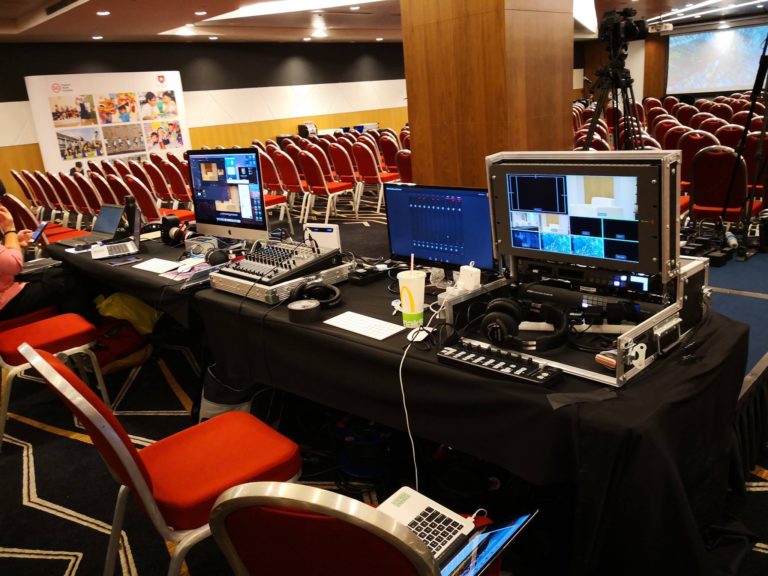
When the audience is in more than one room, we can send the same live programme to the next room, so guests there can follow along without standing at the back of the hall. In practice, that means laying cables through to the overflow space and sending the output signal there.
Several signals at once, when the room needs them
Not every screen has to show the same thing. At Orchid Country Club, the LED wall carried the English presentation, one projector carried the Chinese translation, and other screens carried the live feed on its own or combined with the slides. One-touch shortcuts on a Stream Deck, running Companion software, switched those output combinations.
Setup, testing and operation on the day
We give setup the time it needs. At Orchid Country Club, setup and testing took a full day, so each screen showed the right signal before the programme began.
How it works
Tell us about the event
Share the date, venue, how the room is laid out, and who needs to see the picture — guests in the hall, screens around the venue, or a second room. We’ll come back with a proposed setup and a quote.
We recce the venue, if we need to, and plan the signals
For a venue we have not covered before, we do a proper recce. The main reasons are to check that the display connections will work, and to work out the route from the loading bay. If we already know the venue, a full recce may not be needed. We then plan what each screen should show, how the feed gets there, and how it sits alongside any livestream, translation or presentation.
We set up and test, with time to spare
We give setup the time it needs, and we test every output before your guests arrive, so the wrong picture is not appearing on the wrong screen.
We run the feeds during the programme
On the day we operate the feeds and watch the outputs. You can focus on the event; we look after the technical work. After the event you can opt for the raw recording, if a recording has been booked. Edited highlights, and any further editing, are quoted separately and usually take two weeks.
Selected work
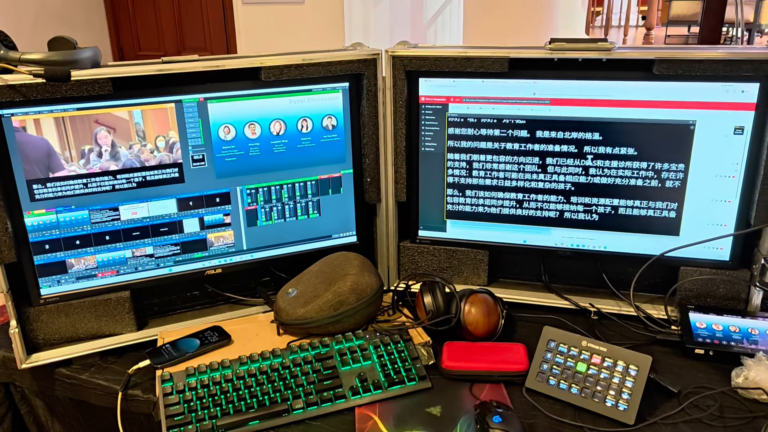
Live English-to-Mandarin translation @ Orchid Country Club Ballroom
A live feed and presentation signals across an LED wall, three projectors and ten TVs, each carrying the right combination of picture, slides and translation.
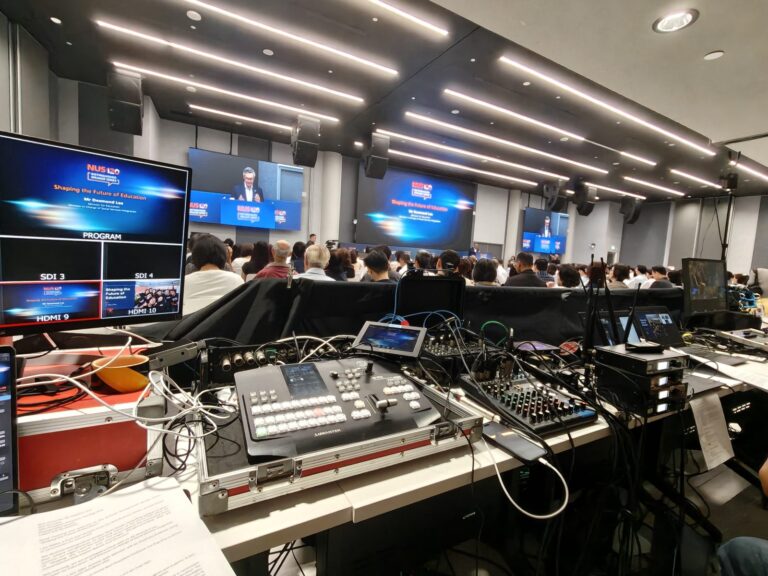
Live streaming for the Ministry of Education @ Suntec City
Live streaming and live feed services for a Ministry of Education event at Suntec City. This job was referred to us by Sproud.
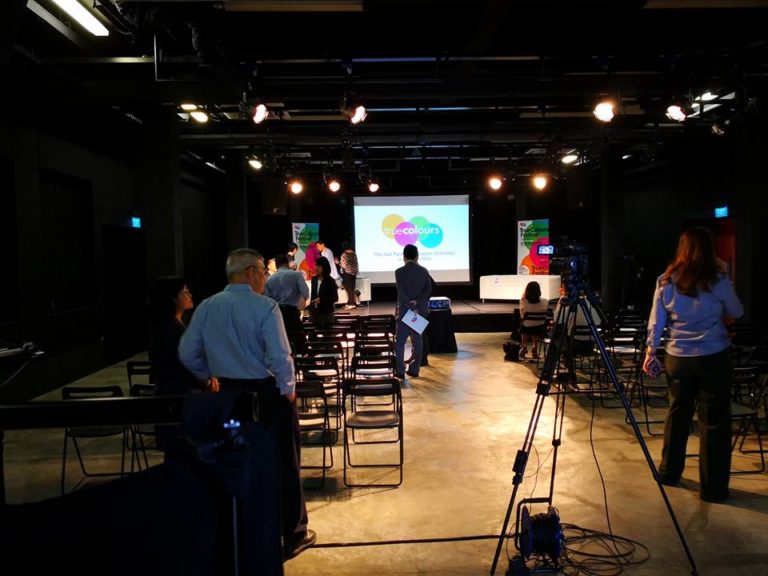
True Colours Festival Media Conference
A live feed to the screen for a media conference in 2018, including Skype calls for the people in the room, with two cameras and a switcher recording the event.
Frequently asked questions
How is a live feed different from a livestream?
A livestream is for people who are not at the venue, watching on YouTube, Facebook, Zoom or a private link. A live feed is for people at the event who need the live picture — on a screen in the hall, or in another room. We can provide either, or both together.
Can different screens show different things?
Yes. One screen can show the live camera, another the slides, and another a combination of the two, or a translation. The Orchid Country Club ballroom is an example of this kind of multi-display setup. That work also sits alongside our display and confidence monitor services.
Can you send a feed to an overflow room?
Yes, depending on where your audience will be. If some guests are in the next room, we can lay cables through and send the output signal there. Tell us how the rooms are laid out and we will plan the route and the screens with you.
Do we also need a livestream?
Only if you want people who are not at the venue to watch. A live feed on its own is enough when the need is in the room. If you want both, we can run them from the same production.
Can the feed include people joining from elsewhere?
Yes, when the programme needs it. At the True Colours Festival media conference we included Skype calls in the live feed to the screen, and at a medical conference at The White Rabbit we combined a Skype contribution with a display to the projector in the room.
Need a live feed for your event?
Tell us the date, venue and what each audience needs to see. We’ll come back with a quote.
Not sure which service you need? WhatsApp us and we’ll help you work it out.
WhatsApp: 9452 0491
Email: [email protected]
Address: 62 Ubi Road 1 #05-18, Oxley Bizhub 2, Singapore 408734