A speaker who has to turn around to check the main screen loses the room for a moment. In a Singapore ballroom or conference hall, that is easy to avoid: give the person on stage a screen they can see without turning away, and a clicker that still works when they leave the lectern.
That is the job of PROLIVE’s display services. A 55-inch floor monitor shows the slides and a countdown at the speaker’s feet. A confidence monitor can sit on or beside the stage with the same picture, a timer, or a script. A professional long-range clicker lets them move through the deck themselves. Together, they help speakers stay with the audience and the clock.
What a floor monitor is
A floor monitor is a 55-inch screen placed on the floor in front of the stage or lectern, facing the speaker. It shows the current slides and a countdown, so they can see what the hall is looking at and how much of their slot remains, without glancing back at the main display.
A keynote, an AGM address or an award citation all go more smoothly when the speaker can keep their shoulders to the guests. Floor monitors are usually booked together with a confidence monitor and a presentation clicker, because the three pieces do related work.
What a confidence monitor is
A confidence monitor is also a screen for the speaker, not for the audience. It is a 42- or 55-inch screen, brought to the venue and placed on or beside the stage. It can show the current slides, a timer, a script, or the next item on the programme.
The difference is placement. The floor monitor sits at the speaker’s feet and is the straightforward “slides plus countdown” view. The confidence monitor can be raised or angled, and is useful when a speaker wants a script or a larger view a little higher in their eyeline. Some rooms use both; some use one. The recce and the run-of-show are the right places to decide, and what each screen shows should be written down.
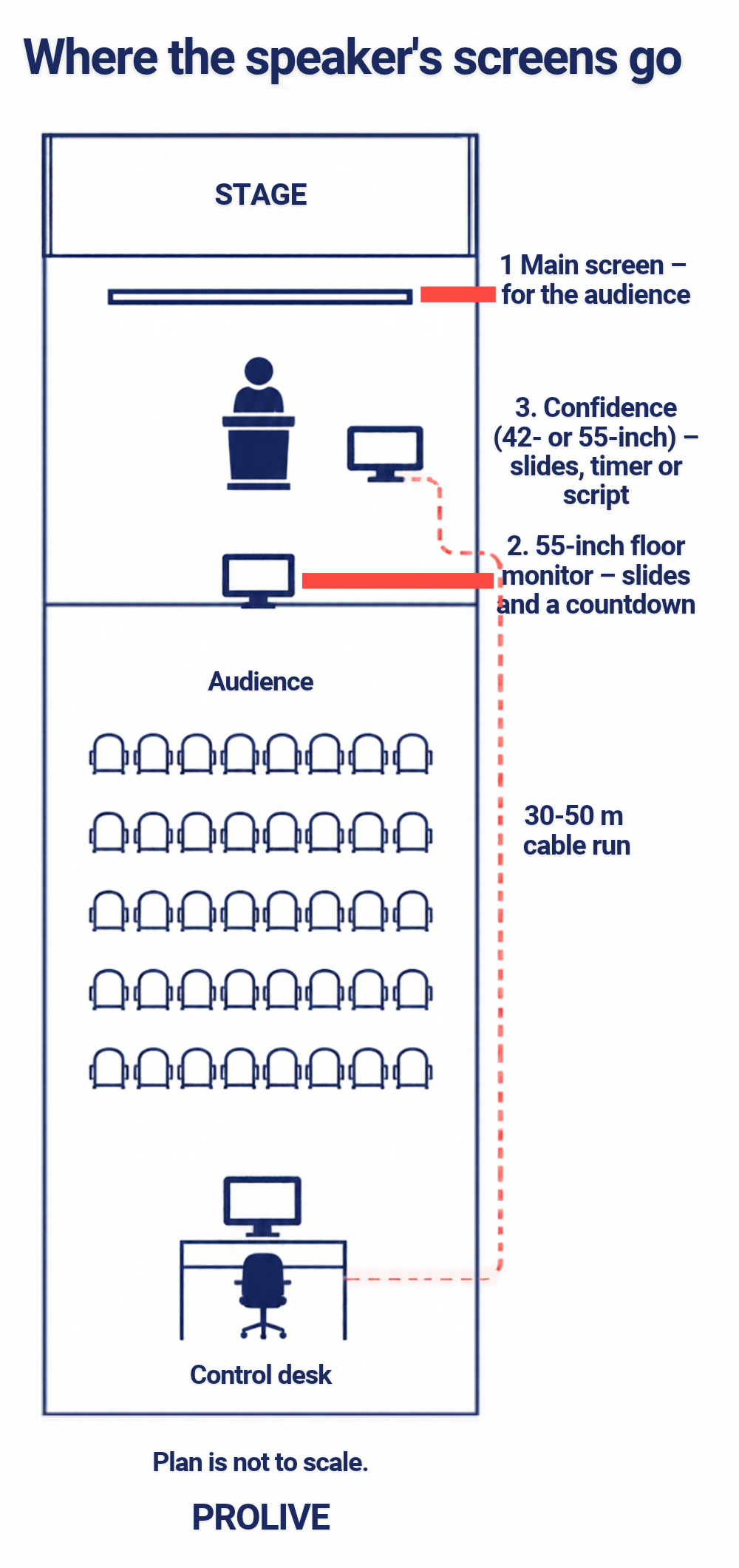
Where the speaker’s screens go: a 55-inch floor monitor at their feet, a 42- or 55-inch confidence monitor where they can read it, and the main screen for the audience. The plan is not to scale.
How the clicker fits in
The clicker lets the speaker change the slide without walking back to the laptop. PROLIVE includes a professional long-range presentation clicker with its display work. It uses a radio link to a USB receiver in the presentation computer, it has a laser pointer, and it is rated for up to 300 metres. Walls and wireless congestion can reduce that range, but a typical ballroom sits comfortably inside it.
The radio path is covered in Long-Range Clickers: How They Work and Why Good Ones Cost More. What belongs here is how the clicker works with the screens. The presentation laptop usually stays at the control desk, often 30 to 50 metres of cable from the floor monitor and the venue projectors. The speaker looks down at the 55-inch floor monitor and clicks when they are ready. If they walk the stage, the same clicker still reaches the desk. If a battery fails, the desk can take over — and that backup should be on the run-of-show.
What to put on each screen
In a simple room, every screen can show the same slides. In a conference or hybrid programme, the pictures often differ:
- The main screen or projector — the presentation, a live picture of the stage, or a mix of both, for the audience.
- The floor monitor — the current slide and a countdown, facing the speaker.
- The confidence monitor — slides, a timer, a script, or the next item on the programme.
If you are also running a livestream or a hybrid event, the hall screens and the stream may need a slightly different layout. Name supers and other on-screen graphics are a paid extra, planned ahead, and often need a separate machine, so brief them early if you want them.
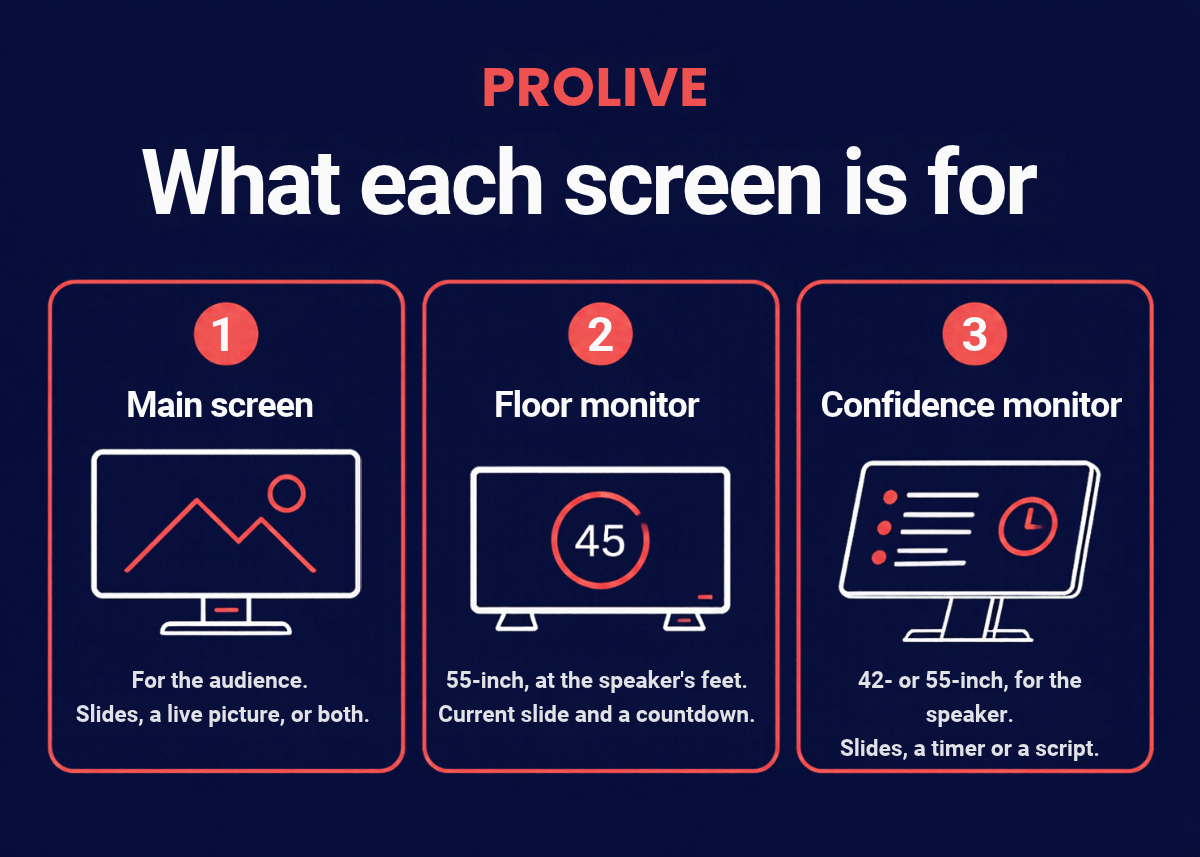
What each screen is for: the main display for the guests, a 55-inch floor monitor with slides and a countdown, and a 42- or 55-inch confidence monitor for the speaker.
Planning it into the room
The practical questions are best asked before event day. Where will the lectern sit? Can a 55-inch floor monitor be placed in front of it without blocking a camera or an aisle? Where should a confidence monitor go so the speaker can see it? How will 30 to 50 metres of cable run from the control desk to those screens and to the venue projectors?
For a venue the crew has not covered before, a recce is the usual way to answer this. Tell the team if a speaker likes to leave the lectern, if more than one person will present, and who holds the clicker during a panel.
A practical checklist
- Decide whether the speaker needs a floor monitor, a confidence monitor, or both, and what should appear on each.
- Put the current slide and a countdown on the floor monitor unless the speaker has asked for something else.
- Write those screen plans into the run-of-show, including who holds the clicker.
- Tell the crew if the speaker will leave the lectern or share the stage with a panel.
- Mention other wireless equipment in the room, and leave time at the recce to check 30 to 50 metre cable routes.
Frequently asked questions
Do we need both a floor monitor and a confidence monitor?
Not always. Many speakers are well served by a 55-inch floor monitor with slides and a countdown. Add a 42- or 55-inch confidence monitor when the speaker wants a script, a timer, or a higher view of the same material. If you are unsure, ask us in the briefing.
Can the floor monitor show a countdown as well as the slides?
Yes. That is the usual setup: the current slide and a countdown, facing the speaker, so they can keep to their slot.
Will the speaker still need to look at the main screen?
They should not have to. The floor monitor and, if you have booked one, the confidence monitor are there so the speaker can face the audience.
Does the clicker work across a large ballroom?
A professional long-range clicker is rated for up to 300 metres and does not need line of sight. Walls and wireless congestion can shorten that range, which is one reason we recce an unfamiliar venue. See our guide to long-range clickers for the full explanation.
A speaker who can see their slides and their remaining time is easier to keep on track — and easier for the room to follow.
Not sure which service you need? WhatsApp us and we’ll help you work it out.
WhatsApp: +65 9452 0491